
Transient Shaper Pro
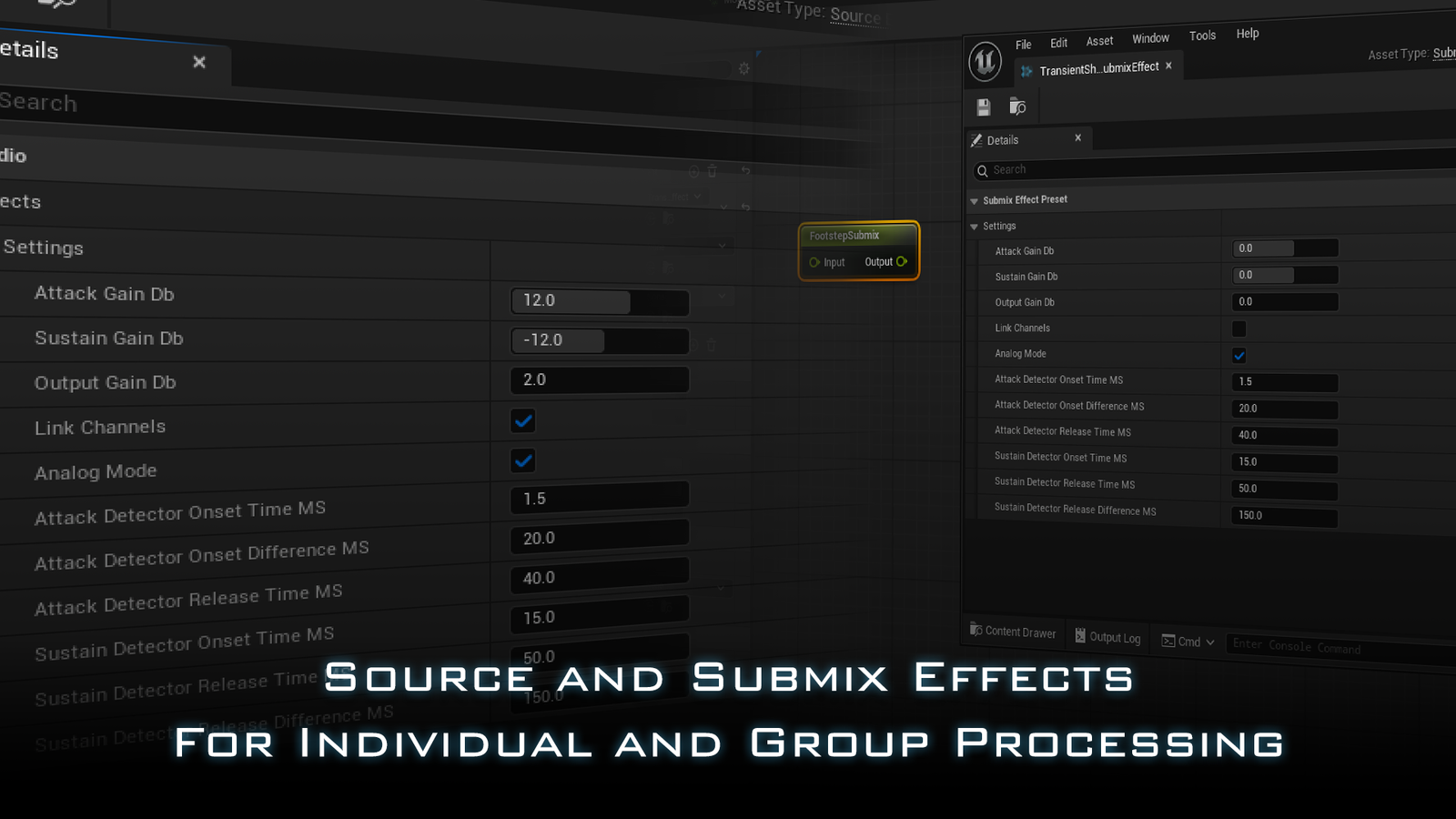
- Transient Shaper LegacySource and Submix FX$1499
- UE 5.0 - 5.8
- Source Effect
- Submix Effect
- -
- -
- -
- C++ Processor
- Transient Shaper LegacyMetaSound$999
- TBA
- -
- -
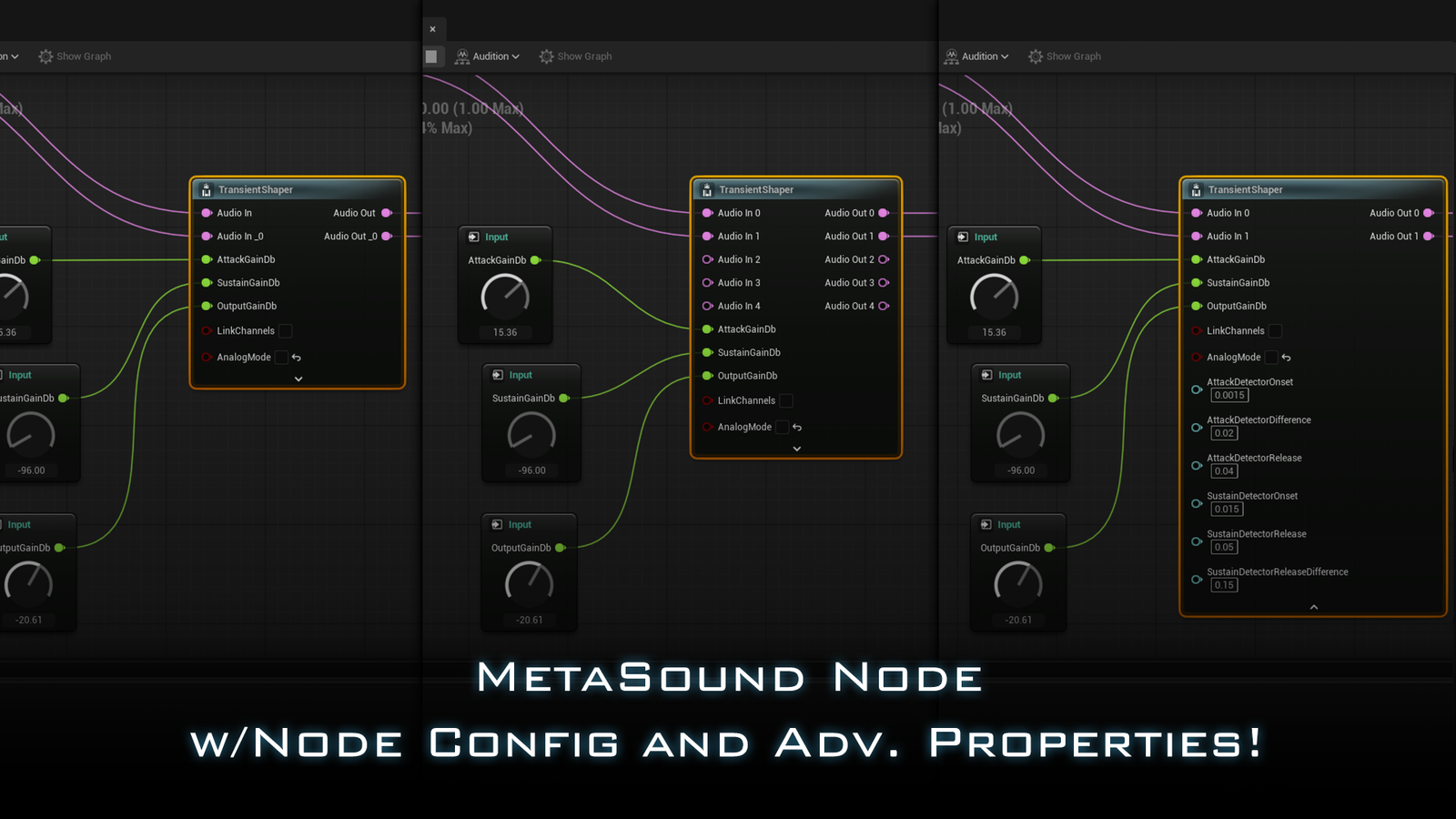
- MetaSound Node
- -
- -
- -
- Transient Shaper ProFull Featured$2499
- UE 5.8+
- Source Effect
- Submix Effect
- MetaSound Node
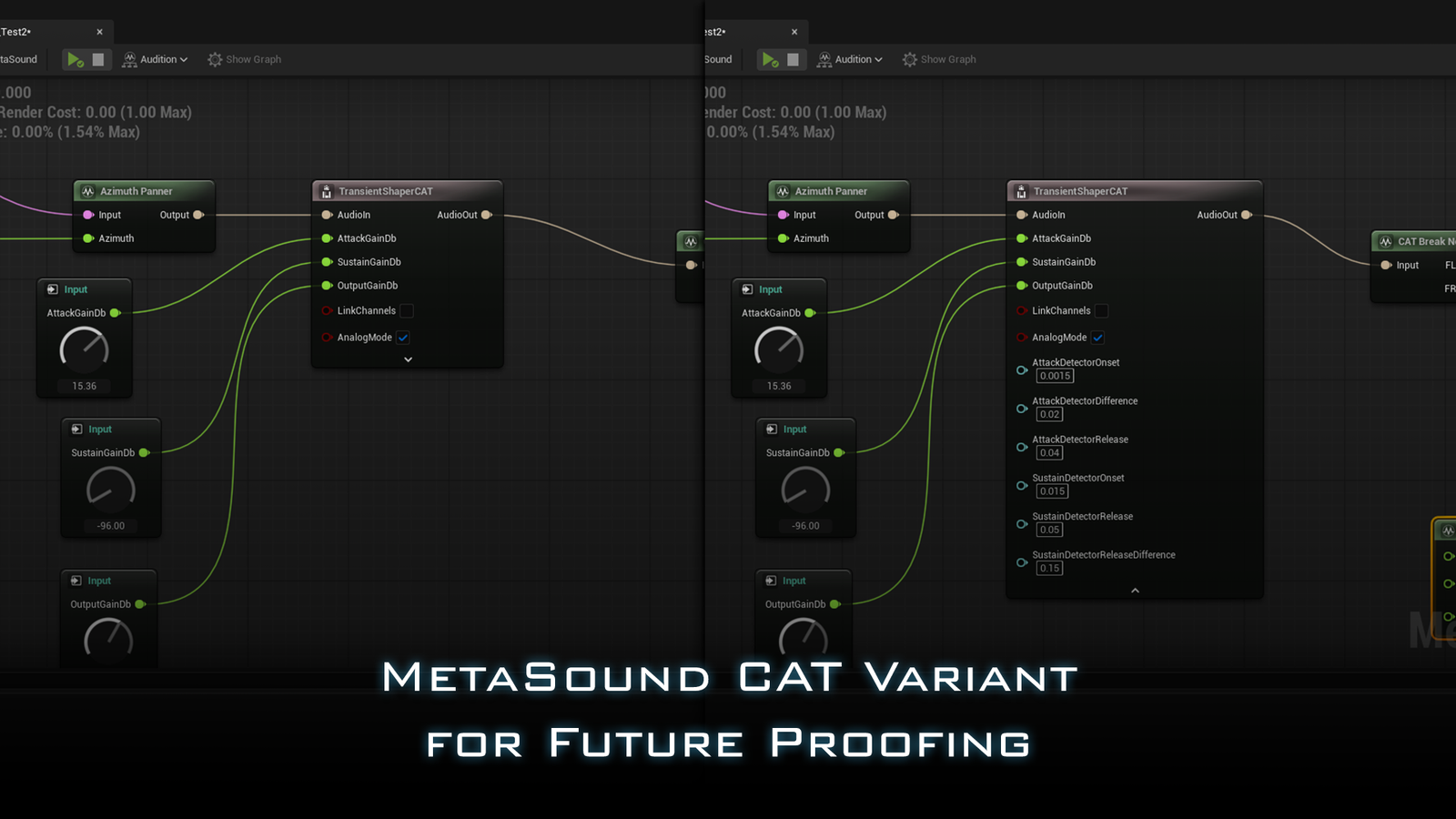
- MetaSound CAT
- Waveform Transformation
- C++ Processor
Transient processors are a secret weapon used by studios, sound designers, and music producers world-wide to sculpt the punch of their music and sound effects and Musicianeer’s Transient Shaper Pro brings that power to Unreal Engine for your real-time games and experiences!
Use Transient Shaper Pro to make your gun shots pop, soften the attack on foley or dialogue, or bring out the texture of your footsteps! The applications are nearly limitless, and all completely powered by runtime parameters driven from your Unreal project!
In Transient Shaper Pro, we offer 5 different ways to leverage Unreal’s powerful AudioMixer and MetaSound technology!
- Source Effect Preset
Which can be added to any of your individual sources, including on specific instances using the AudioComponent interface! - Submix Effect Preset
Allowing you to effect whole groups of sounds as part of the AudioMixer’s post-processing render stage! - MetaSound Node
A classic MetaSound Node with Advanced Timing parameters exposed to the render graph and supporting Node Configuration for as many channels as your system can handle! - MetaSound CAT Node*
All the power of the regular MetaSound Node but using Unreal’s Experimental CAT audio! - Waveform Transformation**
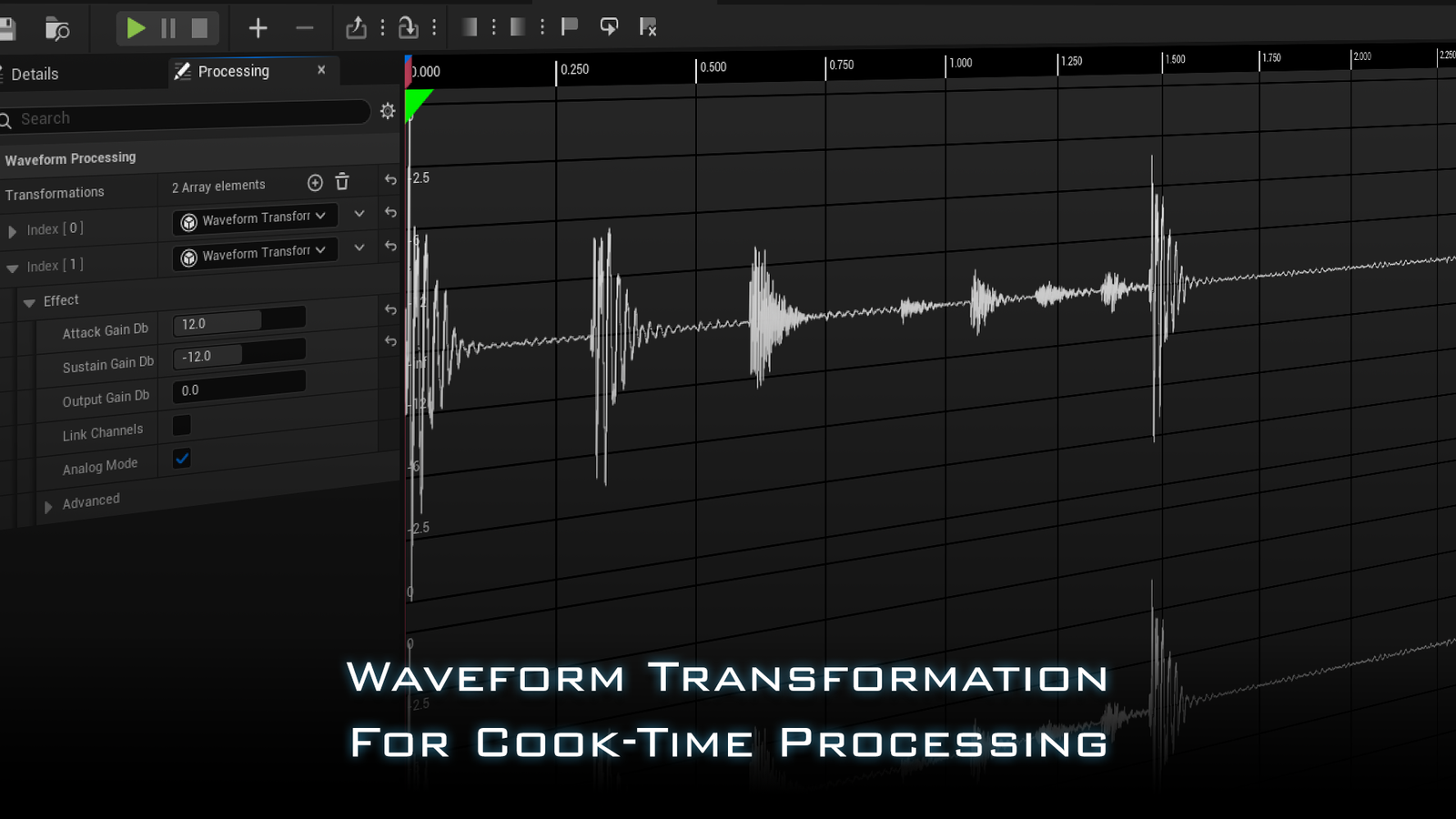
The cook-time processor designed for Unreal’s own Waveform Editor allowing you to non-destructively apply effects on cook!
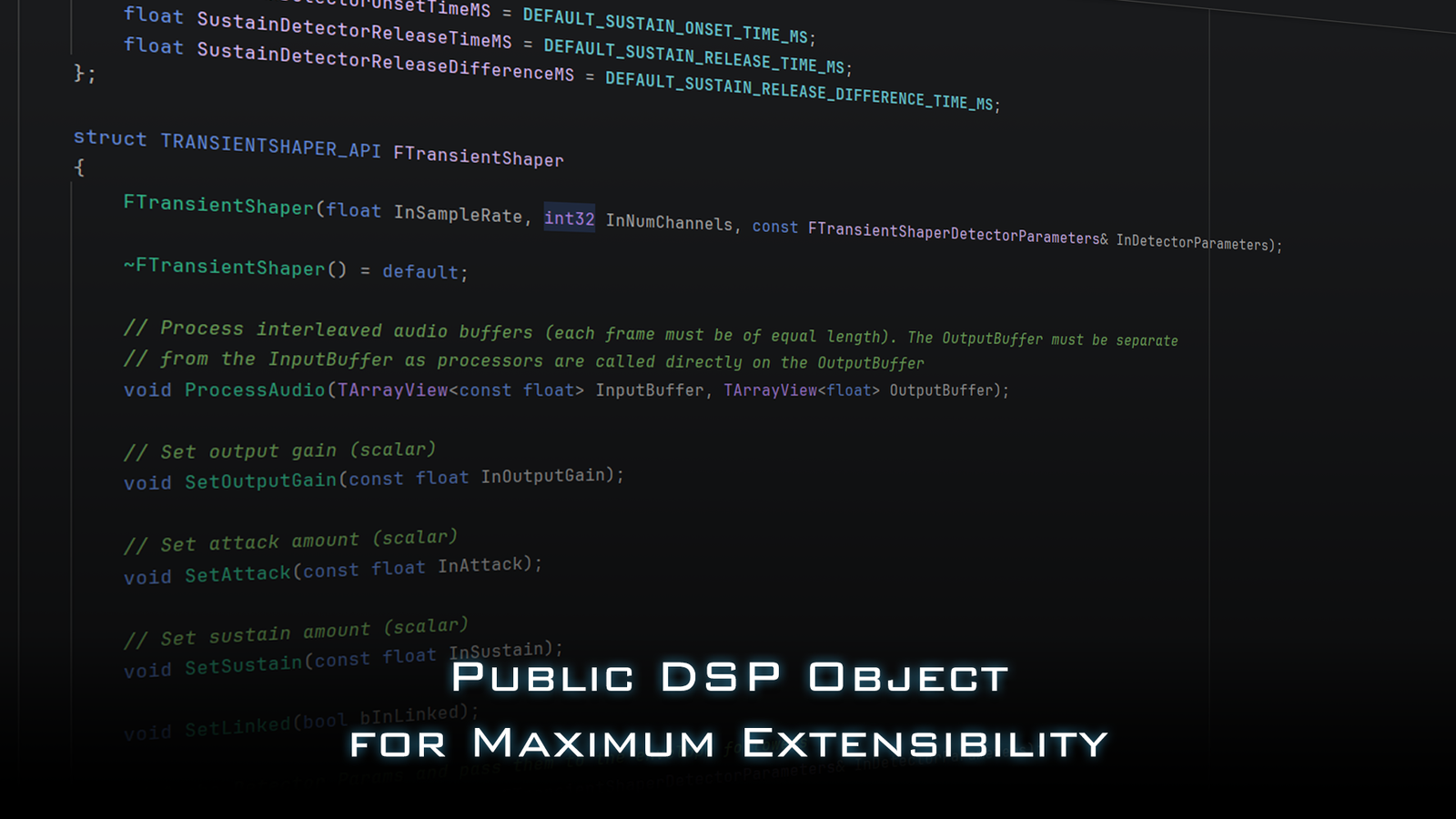
Not only that, but along with it is a public DSP object you can reference in your own C++ audio processes and extensions!
Don’t take our word for it, check out the Demos!
*CAT variant requires Experimental MetaSound plugin to be enabled.
**Waveform Transformation requires the Waveform Editor plugin to be enabled.
Coming soon!
Coming soon!
Audio Demos
Drums
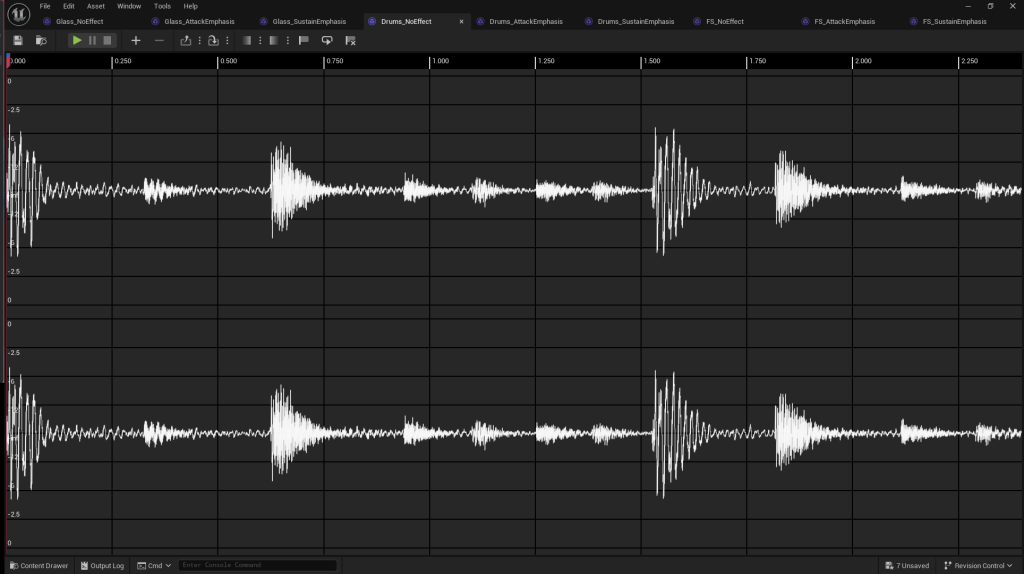
Drums - No Effect
Emphasizing the Attack
These settings tighten up the kit significantly while suppressing the room, almost like we’ve zoomed in on the drums.
- Attack +12dB
- Sustain -12dB
- Output 0dB
 BeforeAfter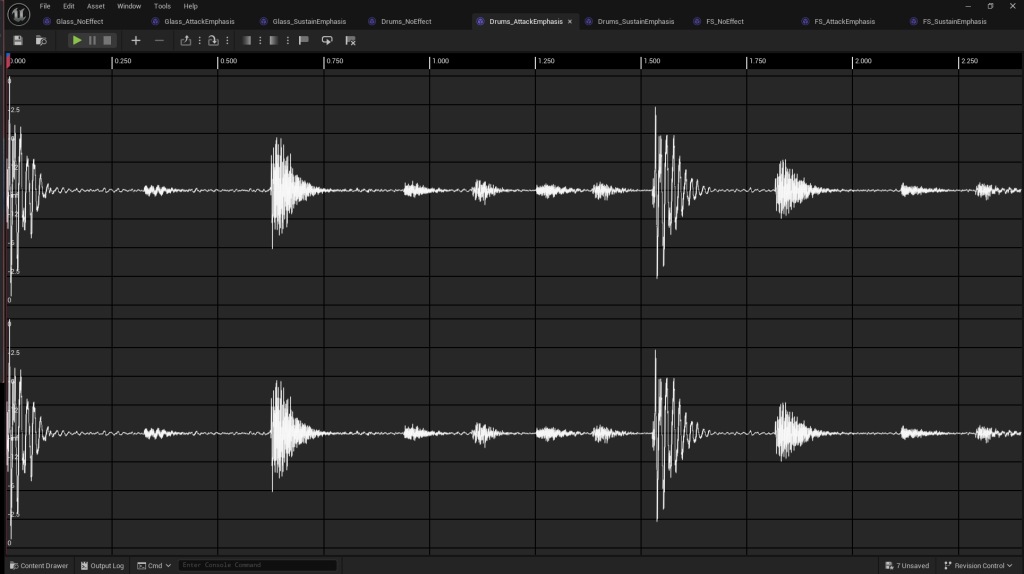
Emphasizing the Sustain
These settings suppress the attack and bring out the room, compressing and expanding at the same time!
- Attack -12dB
- Sustain +12dB
- Output 0dB
BeforeAfter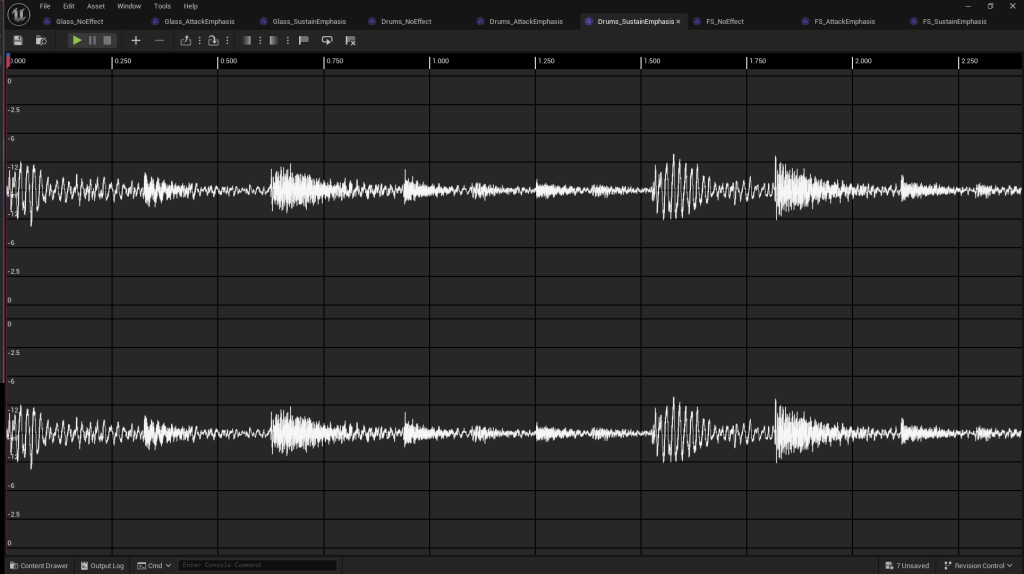
Footsteps
Footsteps - No Effect
Focusing on the Heel, Toe
Deactivating Analog Mode and tweaking our detector timing a little, we can bring out the heel click of our footstep!
- Attack +20dB
- Sustain -20dB
- Output -6dB
- Analog Mode: Off
- Attack Release Difference: 100ms
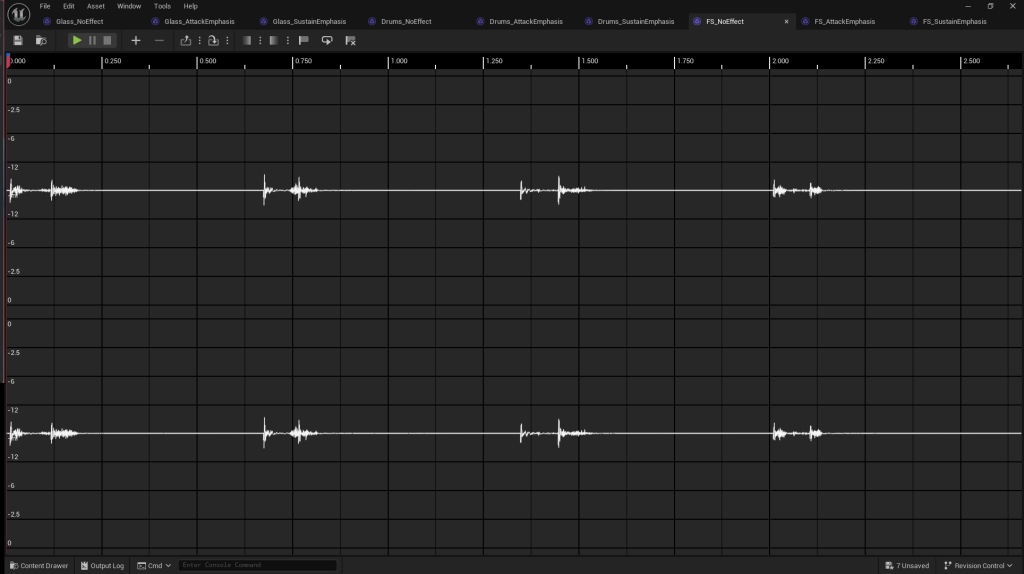 BeforeAfter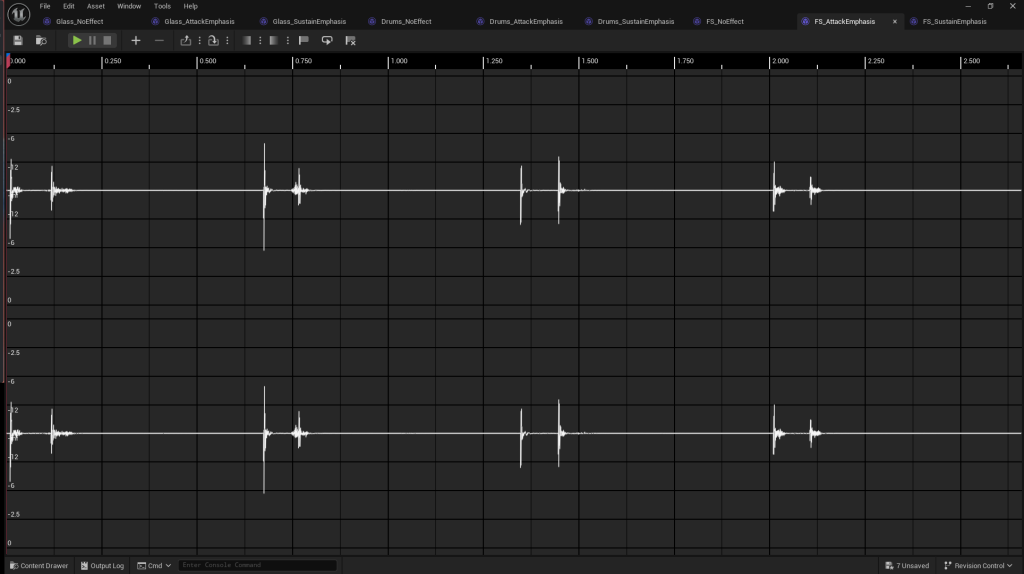
Bringing out the Textures
These settings soften our shoe and bring out the ground texture!
- Attack -20dB
- Sustain +20dB
- Output +6dB
- Analog Mode: Off
- Attack Release Difference: 100ms
BeforeAfter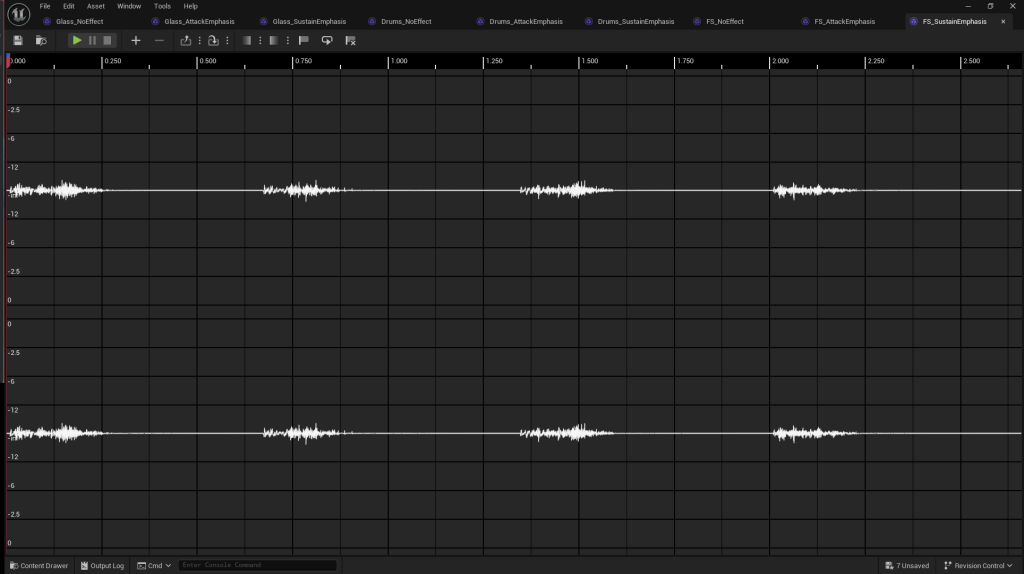
Extreme Example: Glass Chimes
Glass Chimes - No Effect
Isolating the Attack
We can push the settings to extreme levels to completely transform our source material!
- Attack +48dB
- Sustain -96dB
- Output 0dB
- Analog Mode: Off
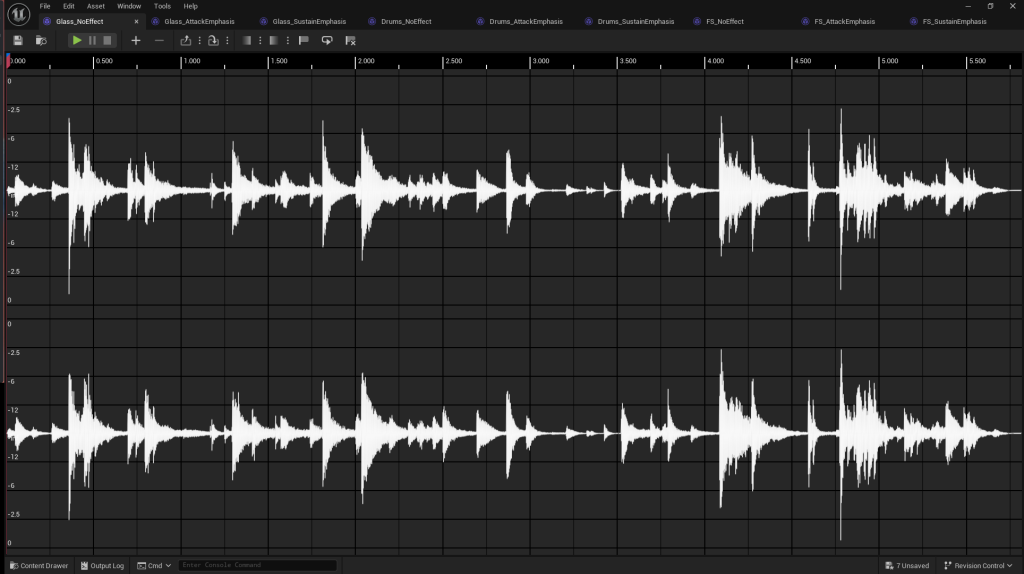 BeforeAfter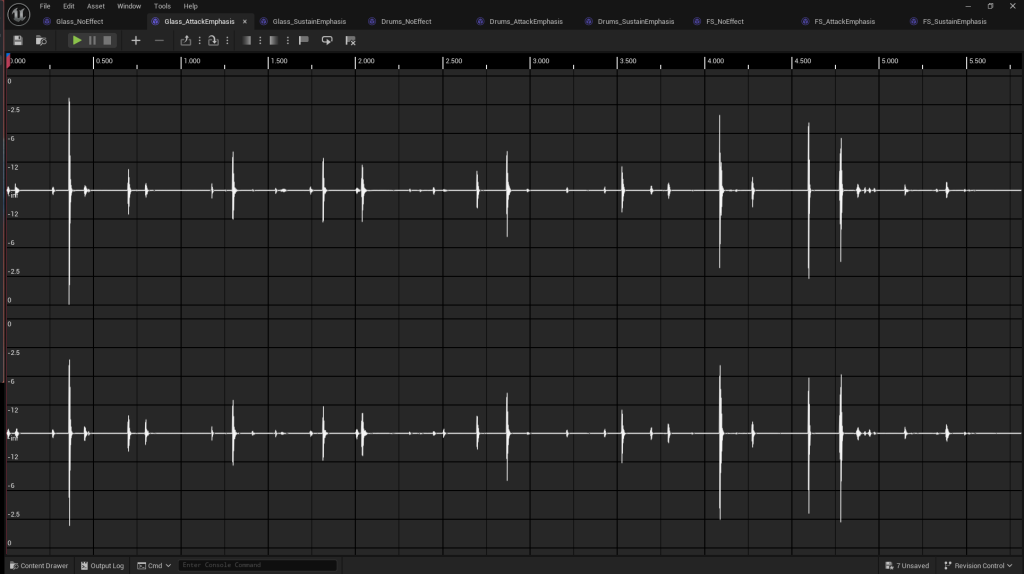
Smashing the Attack
With these aggressive settings, our analog timing constant turns into a slew giving us a result that sounds like it’s playing in reverse!
- Attack -96dB
- Sustain +64dB
- Output 0dB
- Analog Mode: On
BeforeAfter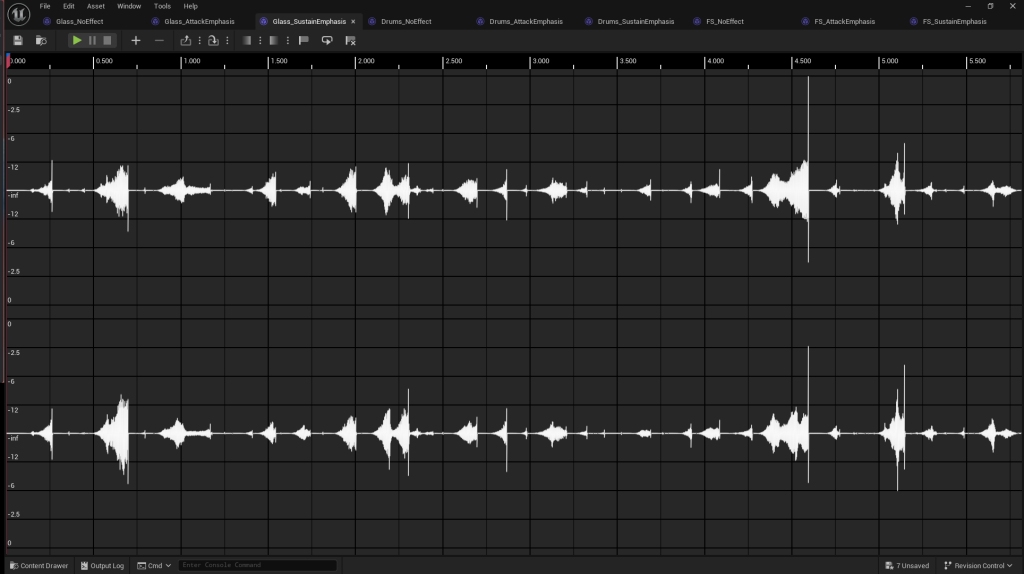
Video Case Studies

[Transient Shaper Pro] Case Study: Footstep Randomization

[Transient Shaper Pro] Case Study: Gunshot Distance

[Transient Shaper Pro] Messing with Lyra's Pistol

[Transient Shaper Pro] WIP - FMOD Implementation

[wWise] Transient Shaper Pro: Quick Demo (No Talking)
Tutorial Videos

Tutorial 01 Preparing the Editor for Transient Shaper Pro

Tutorial 02 Adding Transient Shaper as a Source Effect

Tutorial 03 Adding Transient Shaper as a Submix Effect

Tutorial 04 Adding Transient Shaper as a MetaSound Node
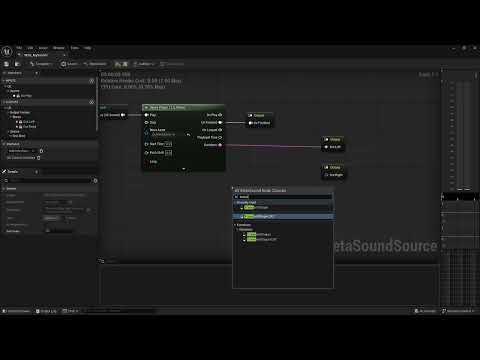
Tutorial 05 Adding Transient Shaper as a CAT MetaSound Node

Tutorial 06 Adding Transient Shaper as a Waveform Transformation
Documentation
Essential Effect Parameters
Attack Gain (dB)
Amount of gain in dB applied to the attack portion of the sound signal. Range is -96dB to +64dB.
Sustain Gain (dB)
Amount of gain in dB applied to the sustain portion of the sound signal. Range is -96dB to +64dB.
Output Gain (dB)
Amount of gain in dB applied to the output of the sound signal, after the Attack and Sustain modulation. Range is -96dB to +64dB.
Linked
When a multi-channel signal is linked, Attack and Sustain detector values conform to the max value across all channels.
Analog
In analog mode, the Attack and Sustain detectors’ envelope followers operate an a timing constant modeled after analog circuits resulting in a tapered, non-linear rise and fall. Turning this on can smooth out the detector results at the cost of faster changes in the timing. Turning this off will result in faster envelopes, but may also be more responsive to flutter and noise. Typically analog mode is more “musical,” but your mileage may vary and timing is very material dependent.
Advanced Effect Parameters
Attack Detector Timings:
- Onset Time (ms)
Onset Time defines the upper bound of the Attack Detector values and represents the fastest rise time of the Attack. This value works best when near 0. Default is 1.5 ms to avoid aggressive fluttering. - Onset Difference (ms)
Onset Difference is added to the Onset Time (Onset Time + Onset Difference) to describe the lower bound of the Attack Detector values and represents the slowest rise time of the Attack. This value allows the designer to determine how much of the rise of the signal is considered part of the Attack. Shorter values will help focus the Attack while longer values will give a larger part of the signals rise to the Attack. - Release Time (ms)
Release Time defines the fall timings of both envelope followers in the Attack Detector. Similar to the Onset Difference, shorter values can help focus the definition of the Attack and longer ones can relax it beyond the rise portion of the signal.
Sustain Detector Timings:
- Onset Time (ms)
Onset Time defines the rise timings of both envelope followers in the Sustain Detector. This can be considered part of the overlap of the two detectors before we start the sustain itself. - Release Time (ms)
Release Time defines the lower bound of the Sustain Detector values and represents the fastest fall time of the Sustain. This value works best as a negotiation between the Attack portion and the Sustain portion. Shorter timings can result in a sharp onset to the Sustain modulation signal. - Release Difference (ms)
Release Difference defines the upper bound of the Sustain Detector values and represents the slowest fall time of the Sustain. Long values can result in long Sustain times, but too long values can interfere with subsequent transients. Long values work best here with one-shot sounds with long tails.
AI Disclosure
Jetbrains Rider IDE:
- Some Auto-Complete
Claude Code:
- Research Experimental API (CAT)
- Code Reviews